OnBoard Meetings
Redesigned the Approvals and Actions pages to help board members complete tasks faster with less friction, reducing average task completion time across core flows by 13.2%.

Role
User Research, Product Design, Usability Testing, Design Systems, and Interactive Prototyping
Context
Timeline: Aug '23 - Dec '23
Type: Product Design via Purdue Design Studio
Team
Client: Connor Schrank, Jarred Porter
Team: Aashwini Vachhani, Dean Carroll, Evan Brehm, Jasmine Li
Impact
Usability testing confirmed the redesign delivered measurable efficiency gains across all core tasks.
Faster task completion across three core flows - creating an approval dropped 9.7% from 1:28 to 1:19 minutes, voting within a discussion dropped 32.8% from 17 to 11 seconds, and finding and interpreting results dropped 11.9%, from 24 to 21 seconds.
Fewer clicks required - Users completed tasks with an average of 1.7 fewer clicks per task.
Shorter overall workflow time - Combined across all three tasks, users saved 17 seconds per full workflow run, a 13.2% reduction.
No regressions - Every measured task showed improvement, with no task taking longer or requiring more effort than before.
Problem Space
How might we redesign the Actions and Approvals experience so board members can quickly get an overview of pending tasks, review details, and take action in one place?
COntext
OnBoard Meetings is a B2B board management platform providing tools for communication, collaboration, voting, and decision-making.
OnBoard's Approvals and Actions pages serve four distinct user groups - Board of Directors, Board Administration, Committee Heads, and Board Members, with Board Members as our primary focus. Board members rely on the Approvals and Actions pages to stay on top of time-sensitive sign-off tasks, but the existing design made that harder than it needed to be.
Key Pain Points
Through our redesign, the main three pain points we addressed were
Inconsistent Actions page - Information wasn't presented consistently across user groups, especially for Board Members.
Cluttered Approvals page - Poor use of screen space made it difficult to access status, timeline, documents, voting metrics, and discussion in one place.
Design system gaps - Existing components couldn't support the new needs introduced by the redesign.
Solution
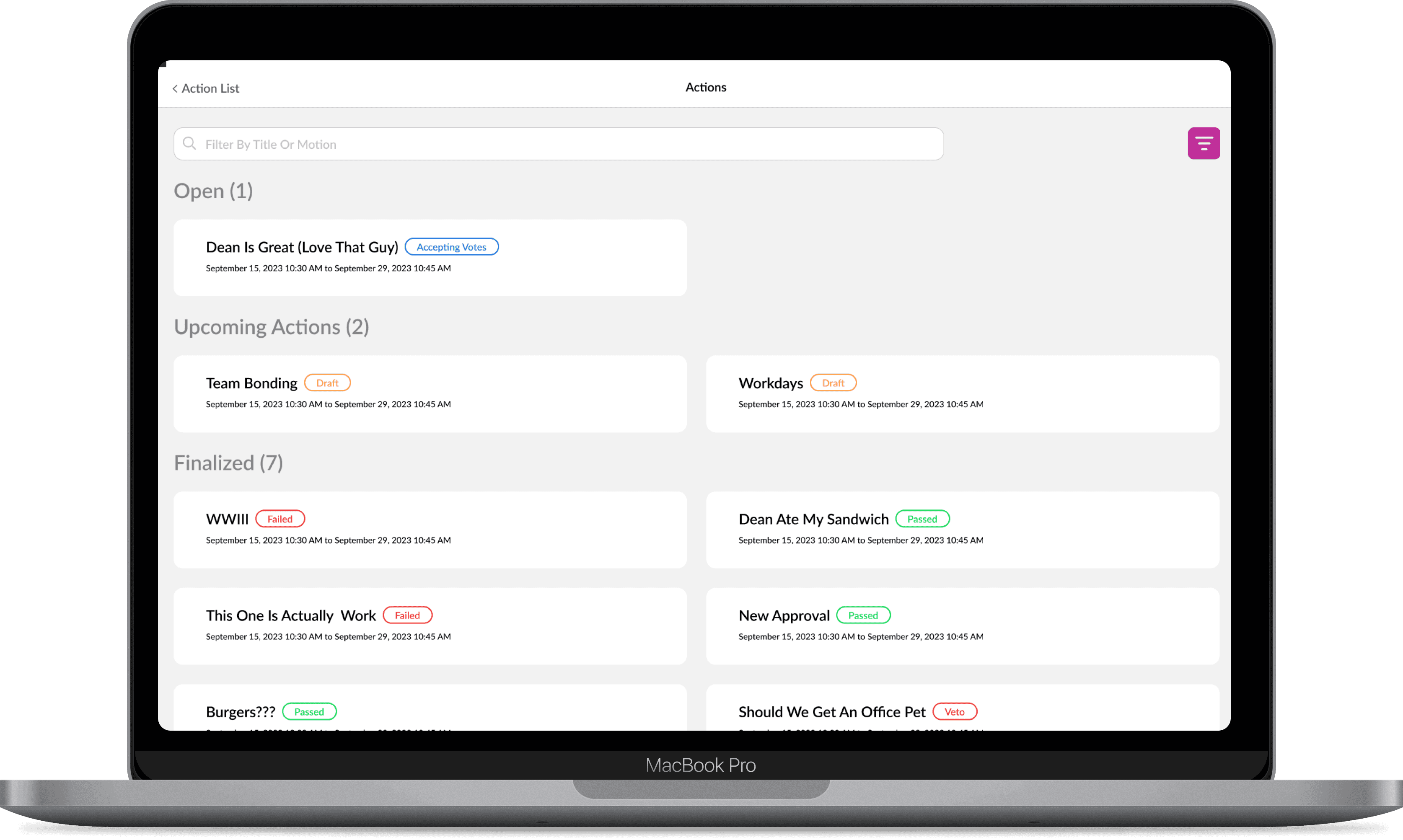
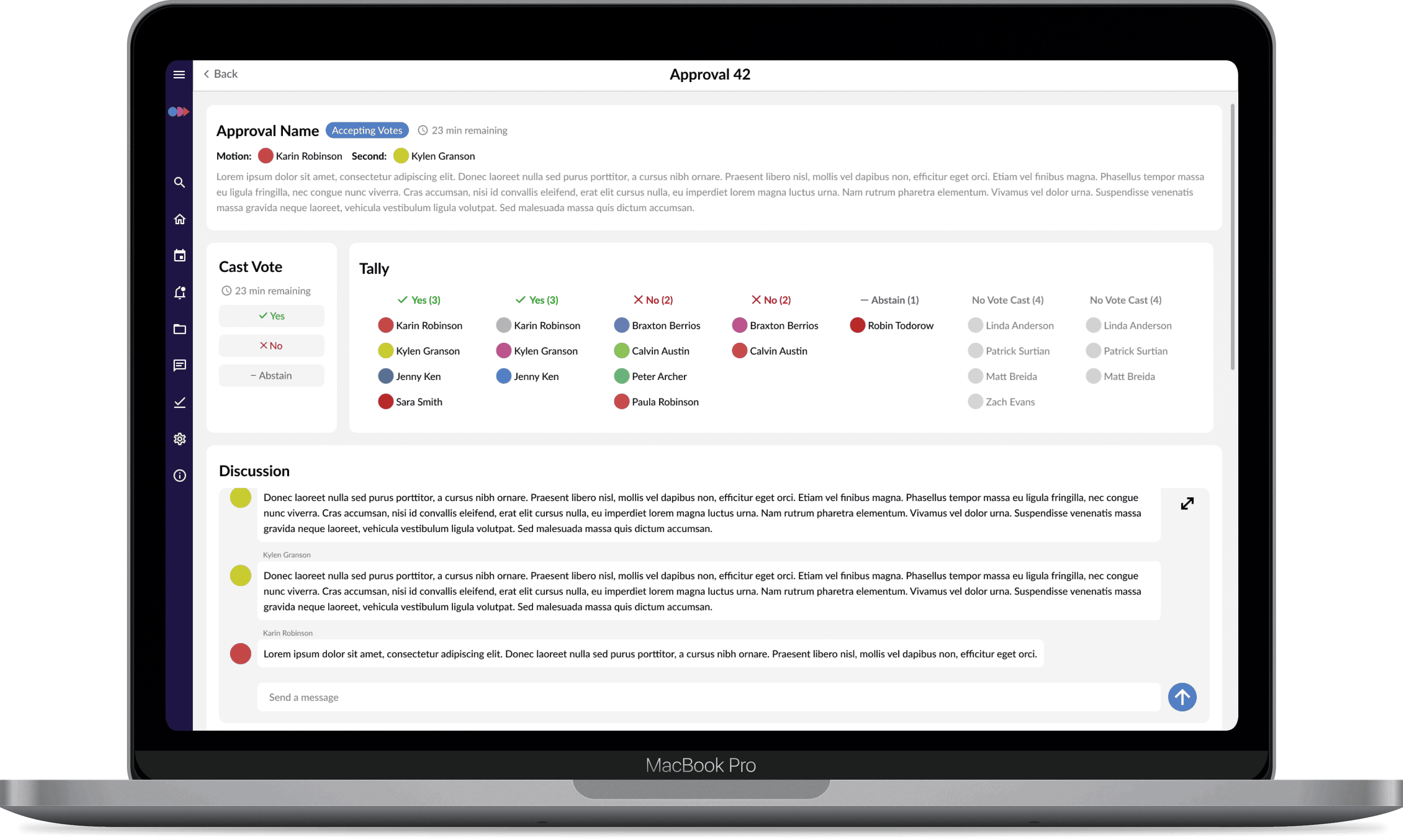
Validated Redesign for Unified and Improved User Experience
Research
Exploring the Problem Space to Identify Key Issues
Secondary Research
In the current design, Actions are represented with minimal visual distinction, forcing users to dig for context such as vote details, discussion access, and approval information. Approval page lacked filtering and sorting options, essential status information, and clear visual hierarchy, making it hard for users to find open actions or quickly identify an approval's current status.
As a result, simple tasks like creating an approval, casting a vote, or interpreting results took longer than they should have, adding friction to workflows that board members needed to move through quickly and confidently.
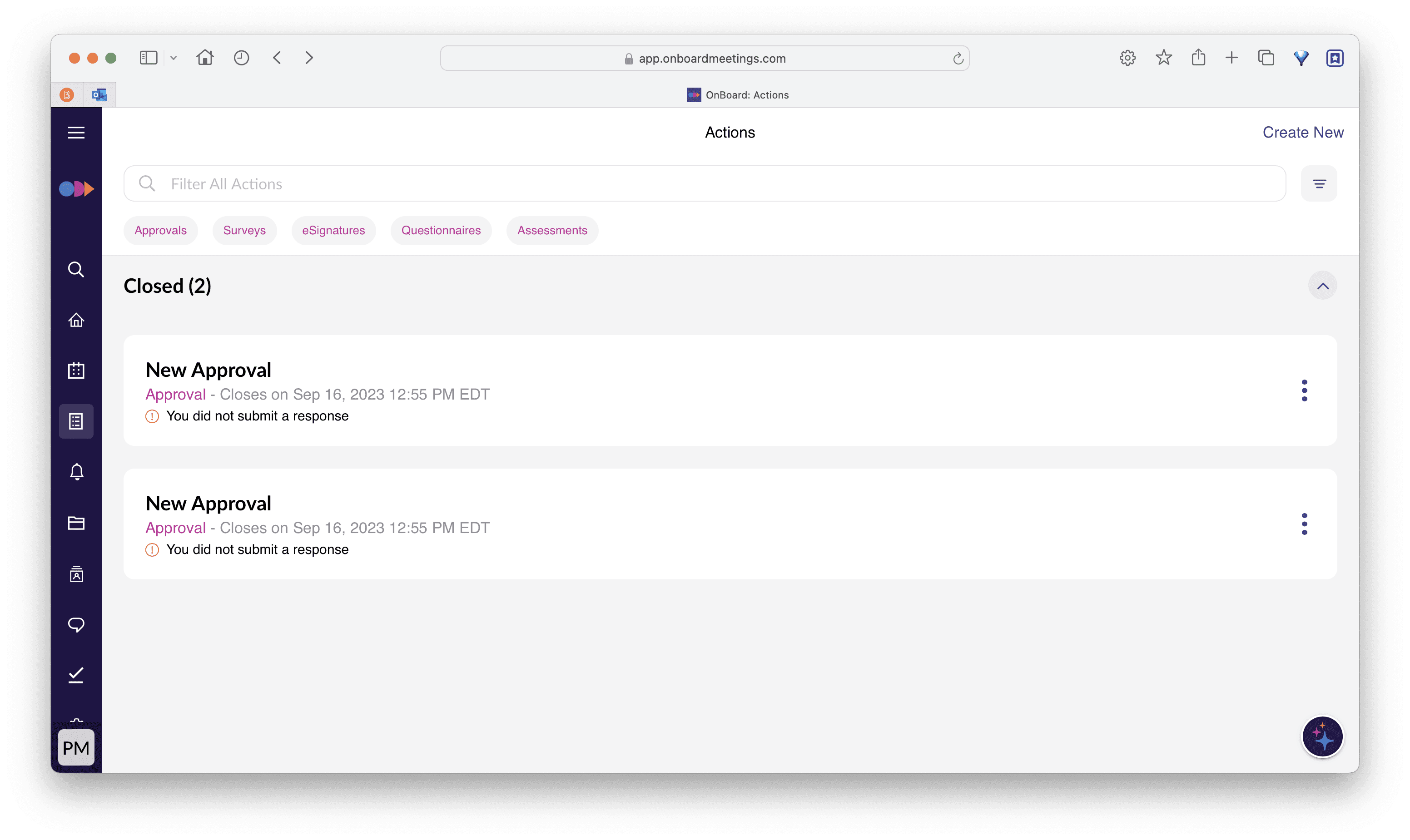
Current Actions Page
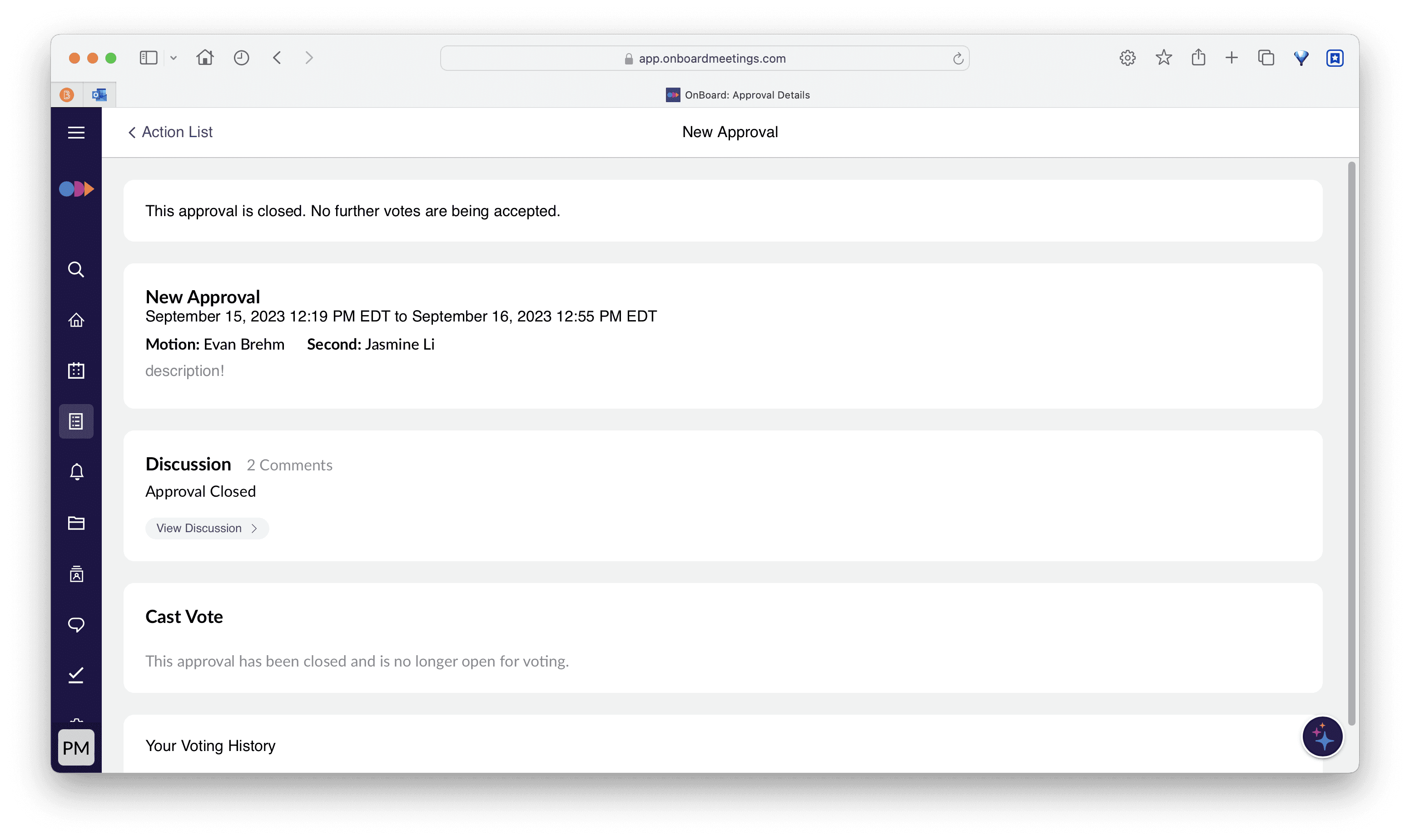
Current Approval Page
Heuristic Evaluation of the Current Design
#1 State Visibility Approval states were represented with plain text labels only, with no visual differentiation, a violation of the visibility of system status heuristic, and a direct source of user confusion.
#2 State Hierarchy Draft-state items were listed above open, actionable approvals, the reverse of what users needed — while unclear state indicators forced extra clicks just to distinguish one approval from another.
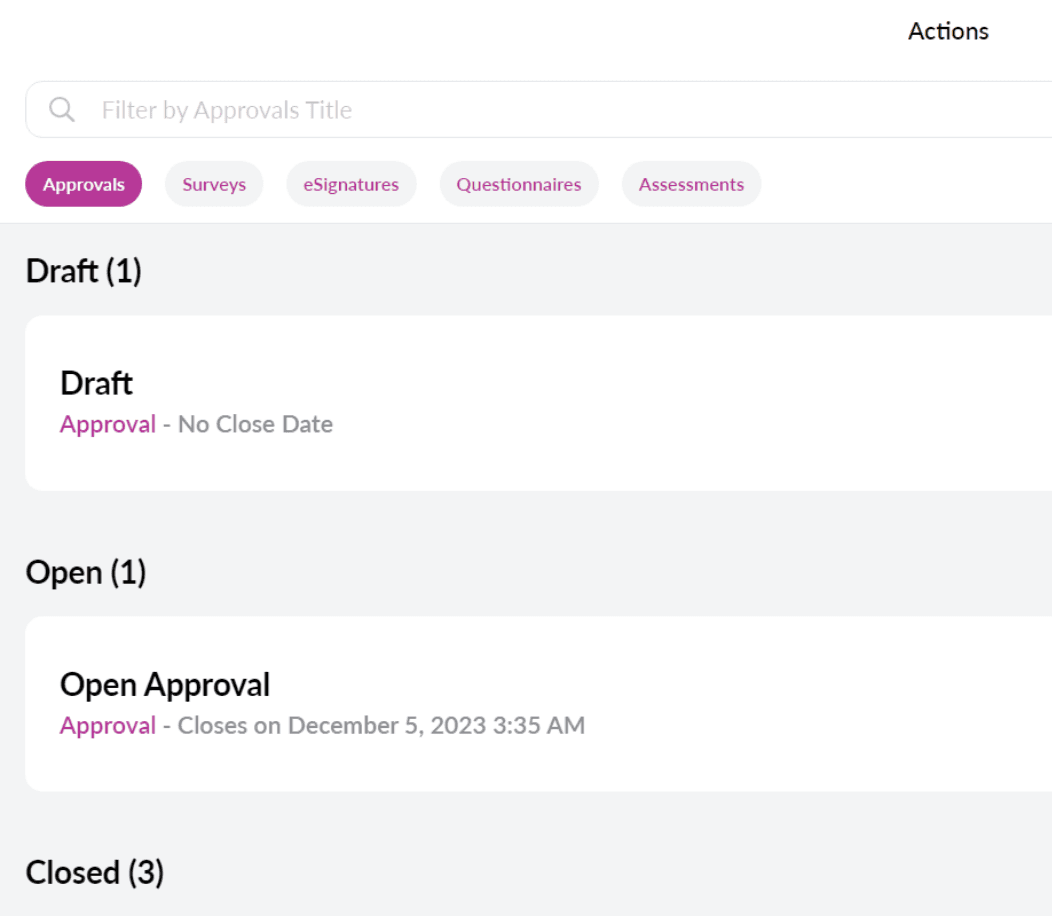
Items in draft state are listed above open approvals. Open/available items are listed first by default.
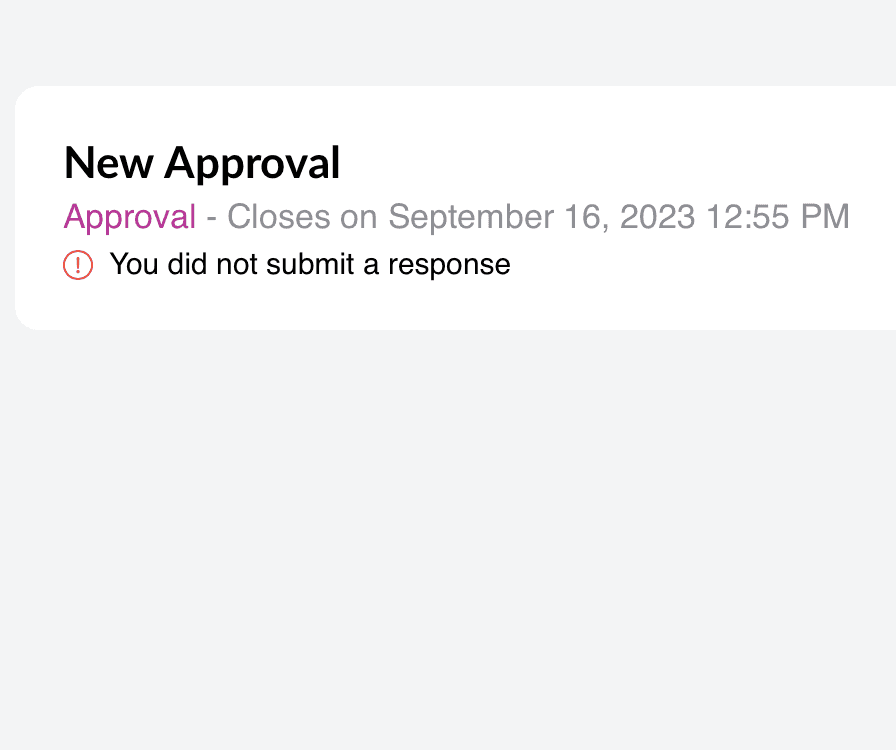
The 'Open' state of this action is represented through plain text

Lack of visual hierarcy between Action state & Action Name
#3 Discussion Access Reaching the voting discussion required navigating through multiple pages, violating the recognize rather than recall heuristic and falling short of standard patterns used elsewhere in the product.
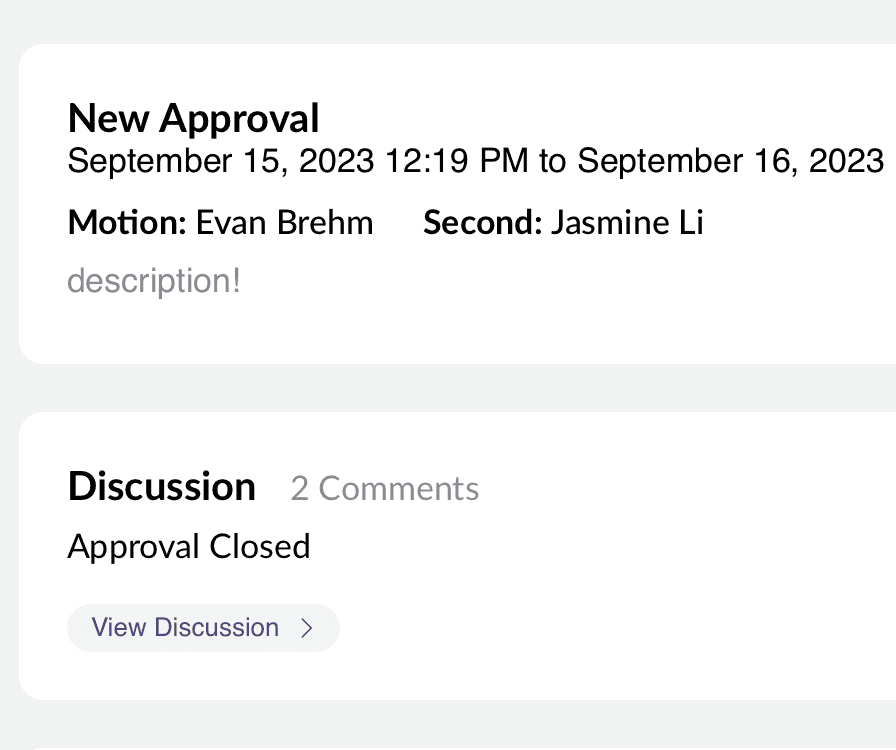
Users select an approval to view more information on the schedule
Users click “View Discussion” to communicate with other voters
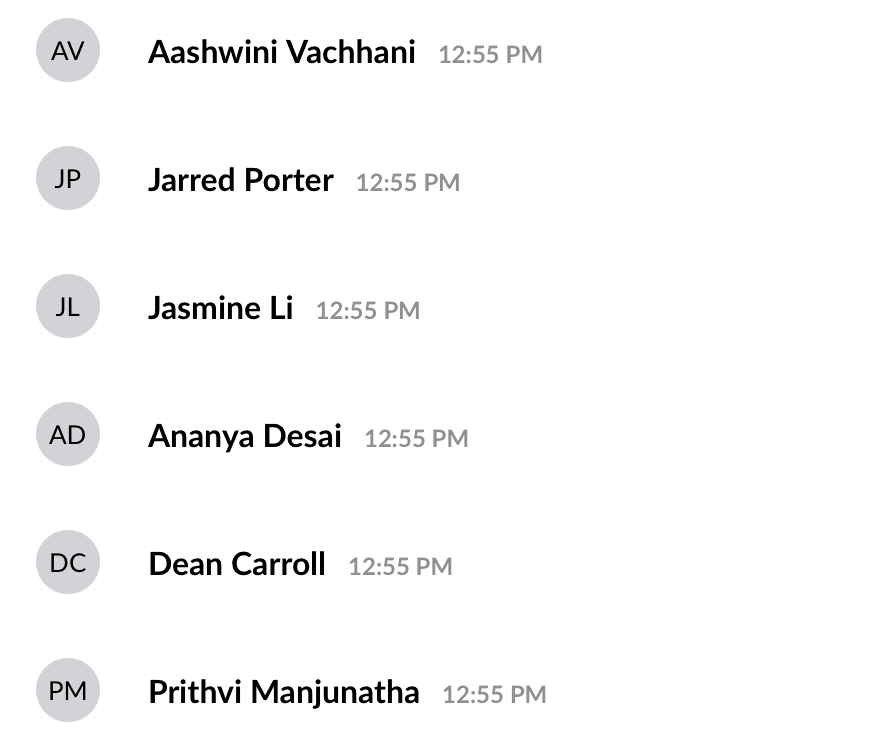
The chat pop-up appears, allowing users to send messages to others
Ideation
Addressing the Pain Points in the Current Design of Actions and Approvals through by Improving the User Journey
Primary Research
User Journey Map
Board Members oversee governance and strategic direction, their core needs center on casting votes, participating in discussions, and reviewing voting results. Mapping their journey made clear where the current design broke down.
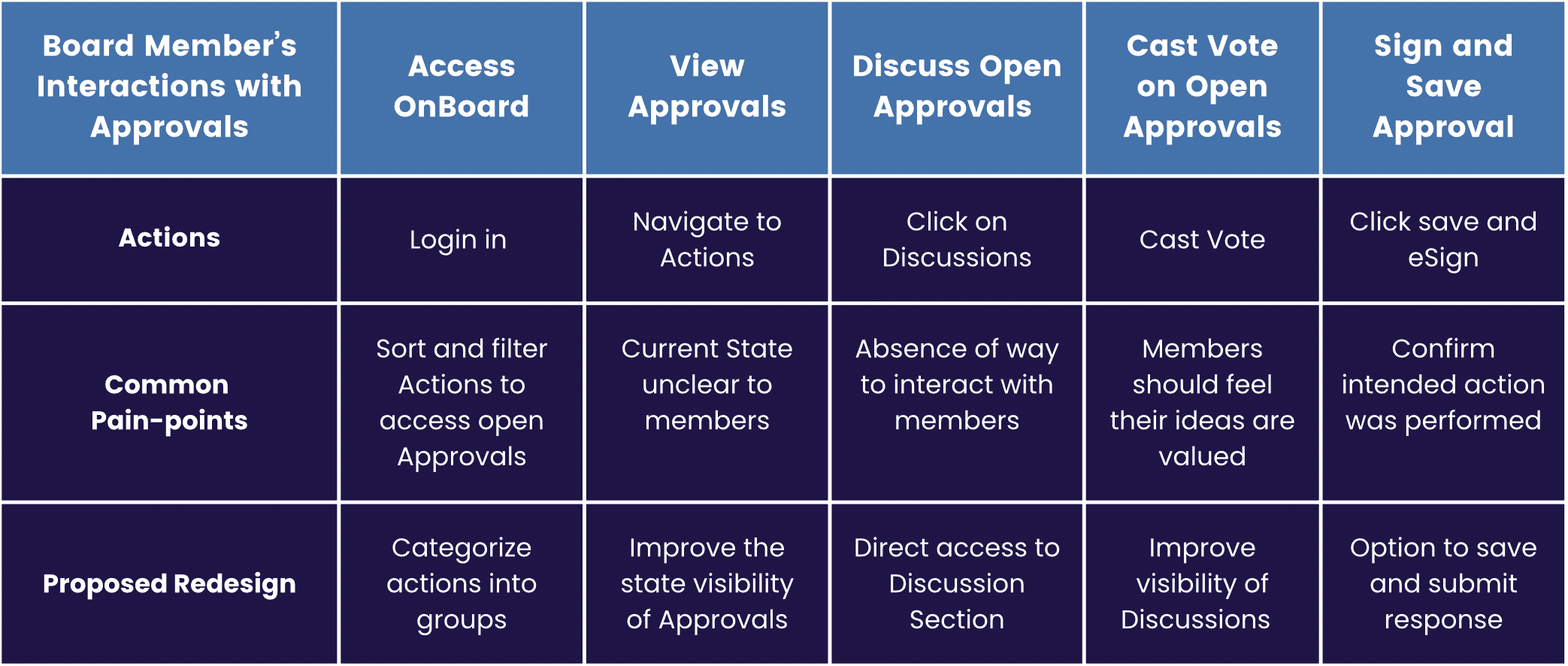
Takeaways from User Journey Map
Co-design Workshop
We brought in board members from Purdue University Communities to interact with the product directly. Key takeaways:
Customization - Users wanted filtering to control what they saw.
Screen space - Content needed a clearer information hierarchy to guide action.
Visual hierarchy - Tags and categorization were needed to support both new and existing users.
Synthesizing the heuristic evaluation, journey map, and workshop findings pointed to three priorities: build filtering and sorting into the Actions page, restructure the Approvals page around information density, and expand the design system to support both.
Design
Final Redesign Proposal for OnBoard's Actions and Approvals Pages
Design System
Expanded to include new color, typography, and icon standards, along with updated buttons, checkboxes, radio buttons, switches, input fields, and menu components - built to support the redesigned Actions and Approvals experience
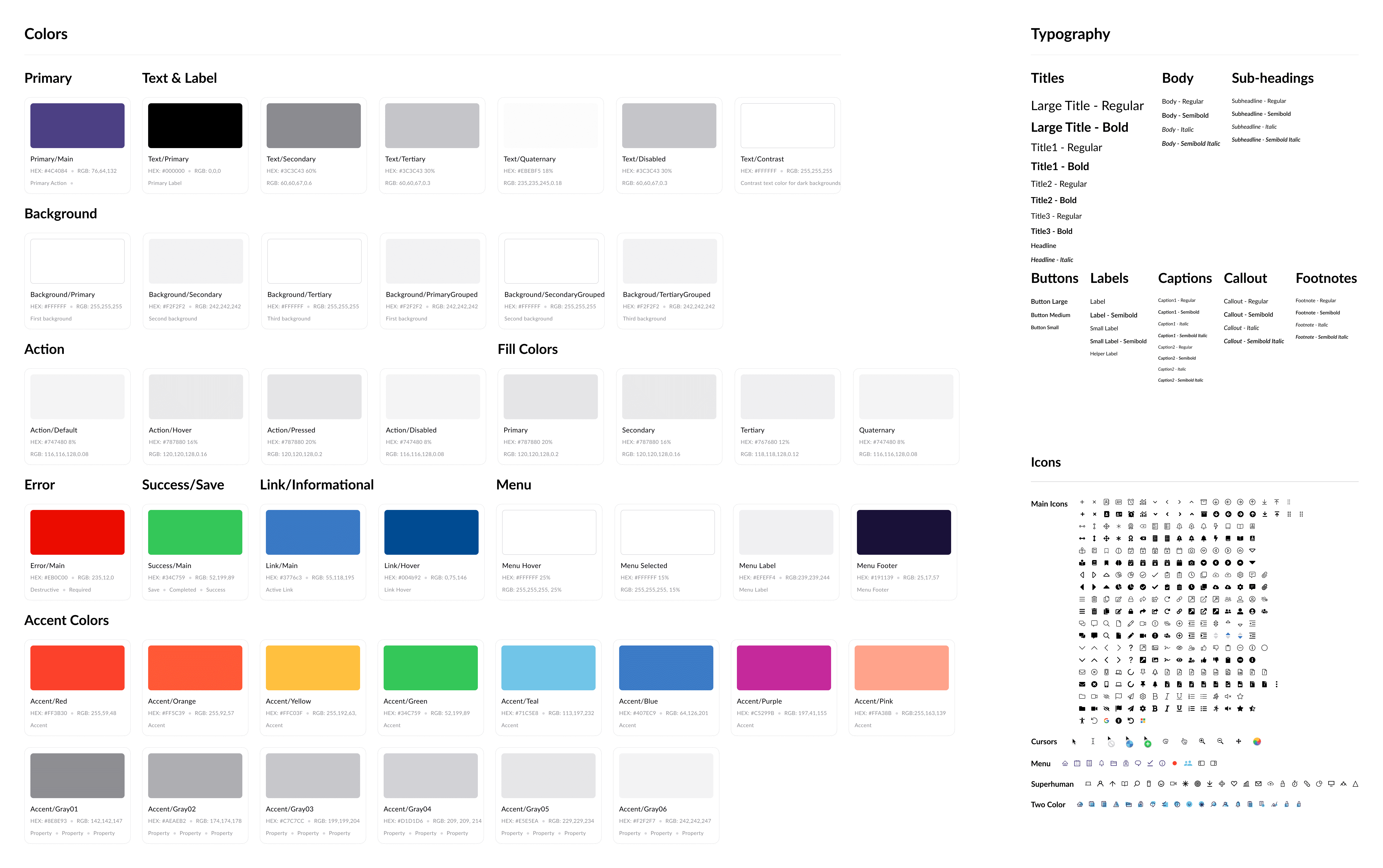
Colors, Typography, and Icons
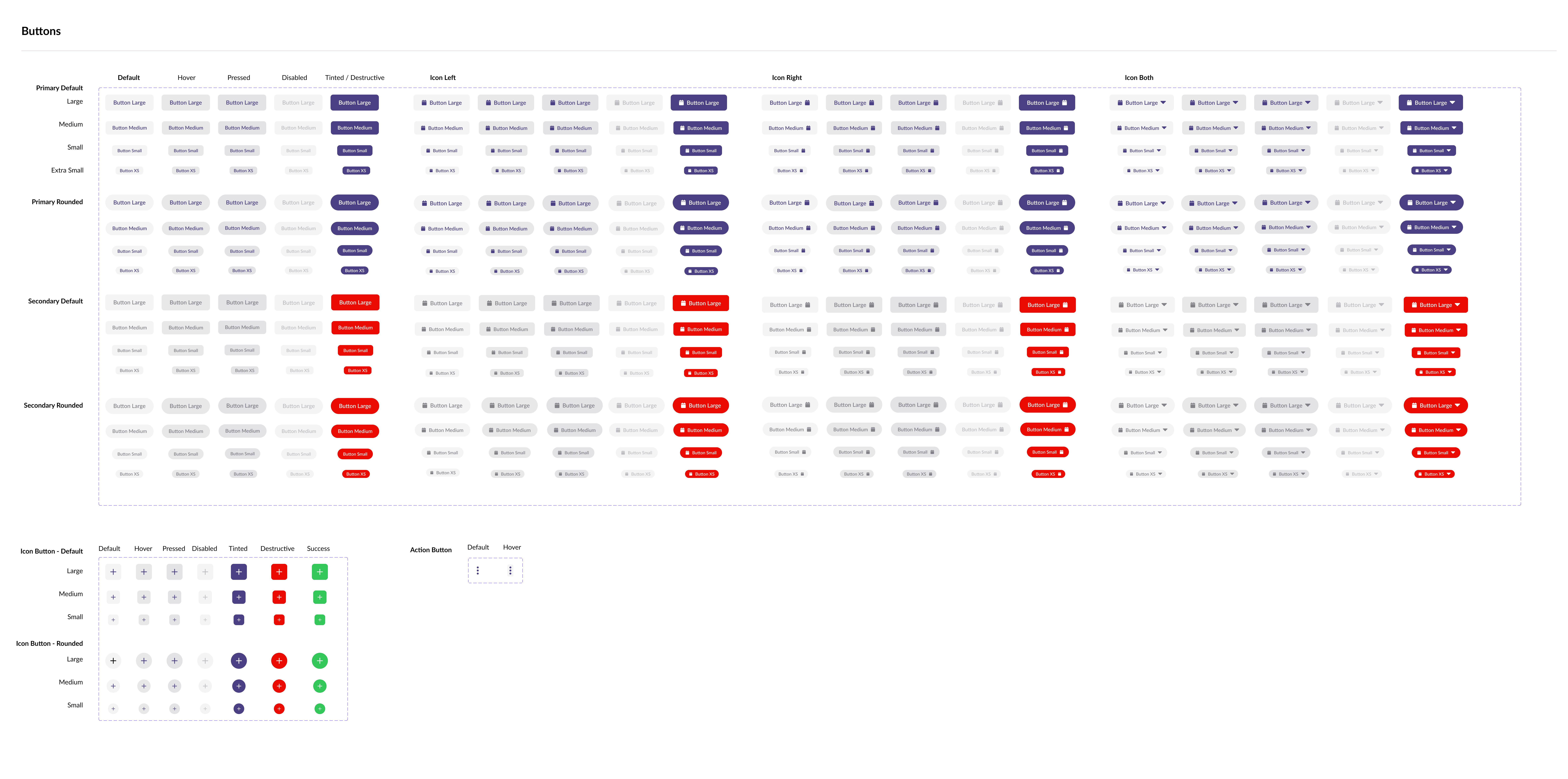
Buttons
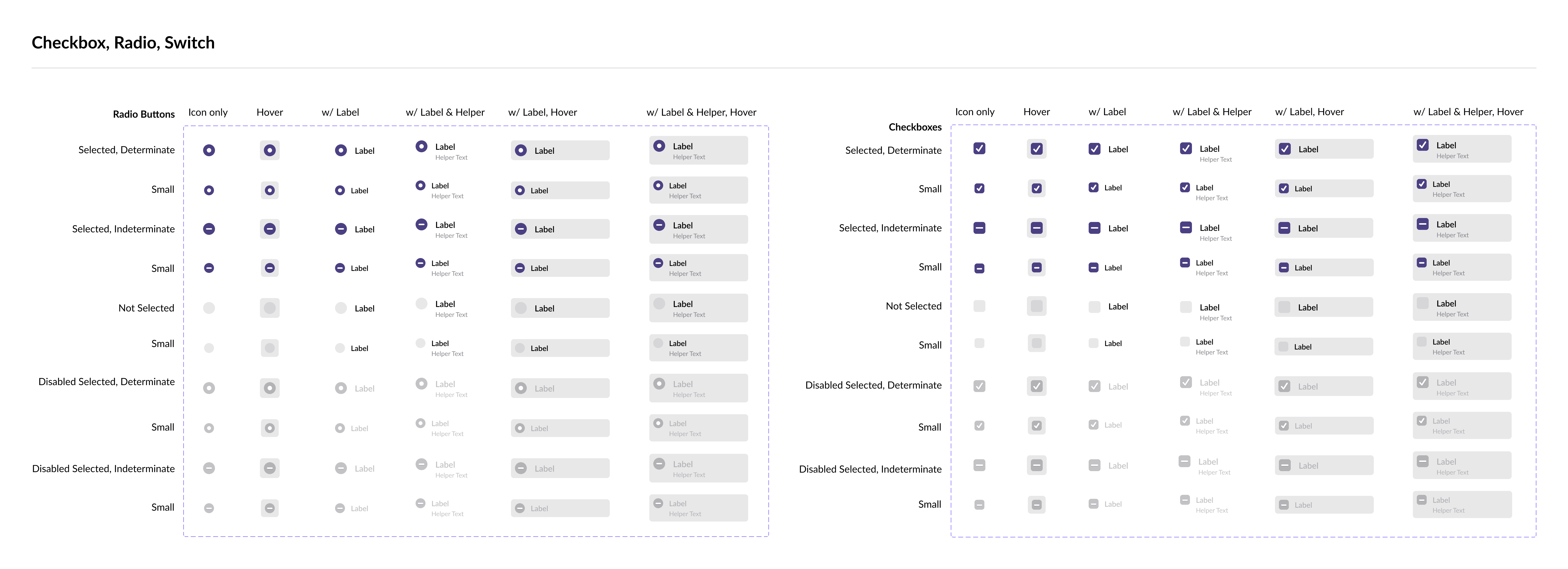
Checkbox, Radio-buttons, and Switch Buttons
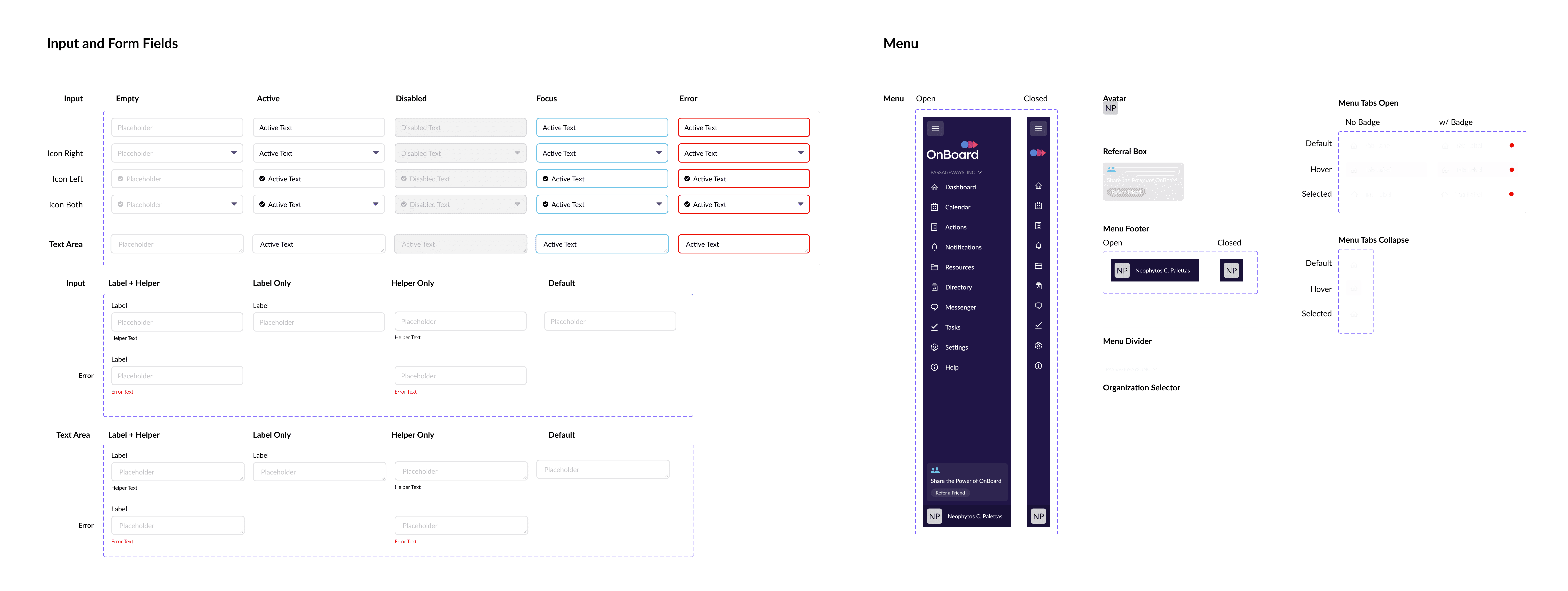
Input Fields and Menu Components
Actions Page
Introduced filtering and sorting by state, with a clearer visual system that lets members identify an Action's status at a glance, replacing plain-text labels with immediate visual recognition.

Approval Page
Reorganized the page layout to surface status, vote details, and direct discussion access together, reducing the multi-page navigation the original design required.